 Keepasso
Keepasso
Keepasso
Mac · iPad · iPhone · KeePass
A KeePass client for Mac, iPad and iPhone. It opens the
.kdbx you already have — in iCloud Drive, in Dropbox, on a USB
stick — edits it there, and saves it back in the version it came in, so
KeePassXC, Strongbox and KeePassium read it the next morning as if nothing
happened. That is Keepasso.
· One app for the Mac, the iPad and the iPhone
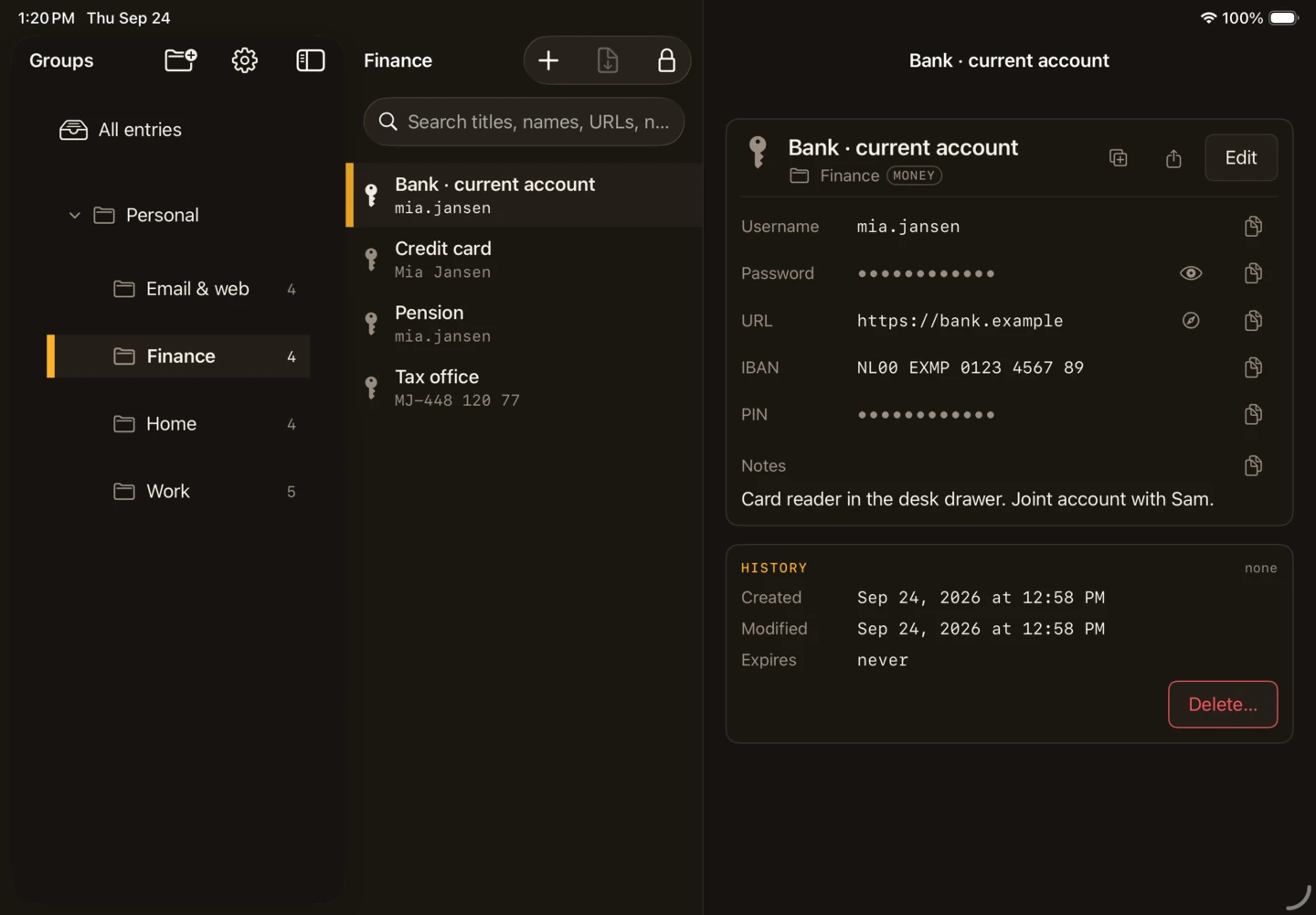
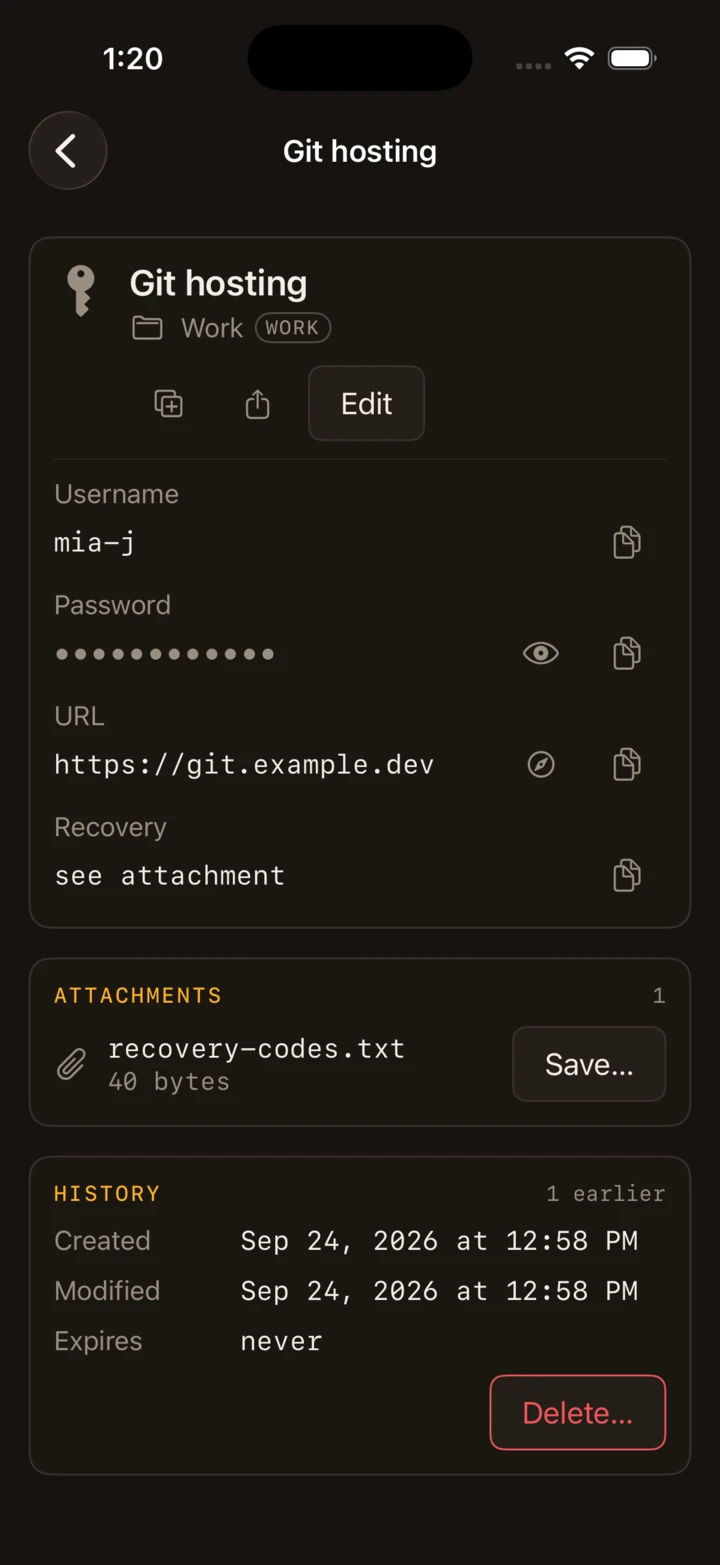
Every picture on this page is Keepasso itself, open on a database made for the page: Mia Jansen, her bank at bank.example, a router at 192.168.1.1. None of it exists.
Every password is dots, the way the app draws one until you ask — twelve, whatever its length, because the length is information too. No password appears on this page, real or invented.
The file is yours
A KeePass database is a file other clients read and write, and Keepasso treats it that way. Nothing is copied in, nothing is kept beside it, and nothing is added to it that another client would show you as junk.
iCloud Drive ▸ Keepasso is the app's own; the unlock screen offers to put a database there, and never does it on its own. Somebody else's file is copied, not moved.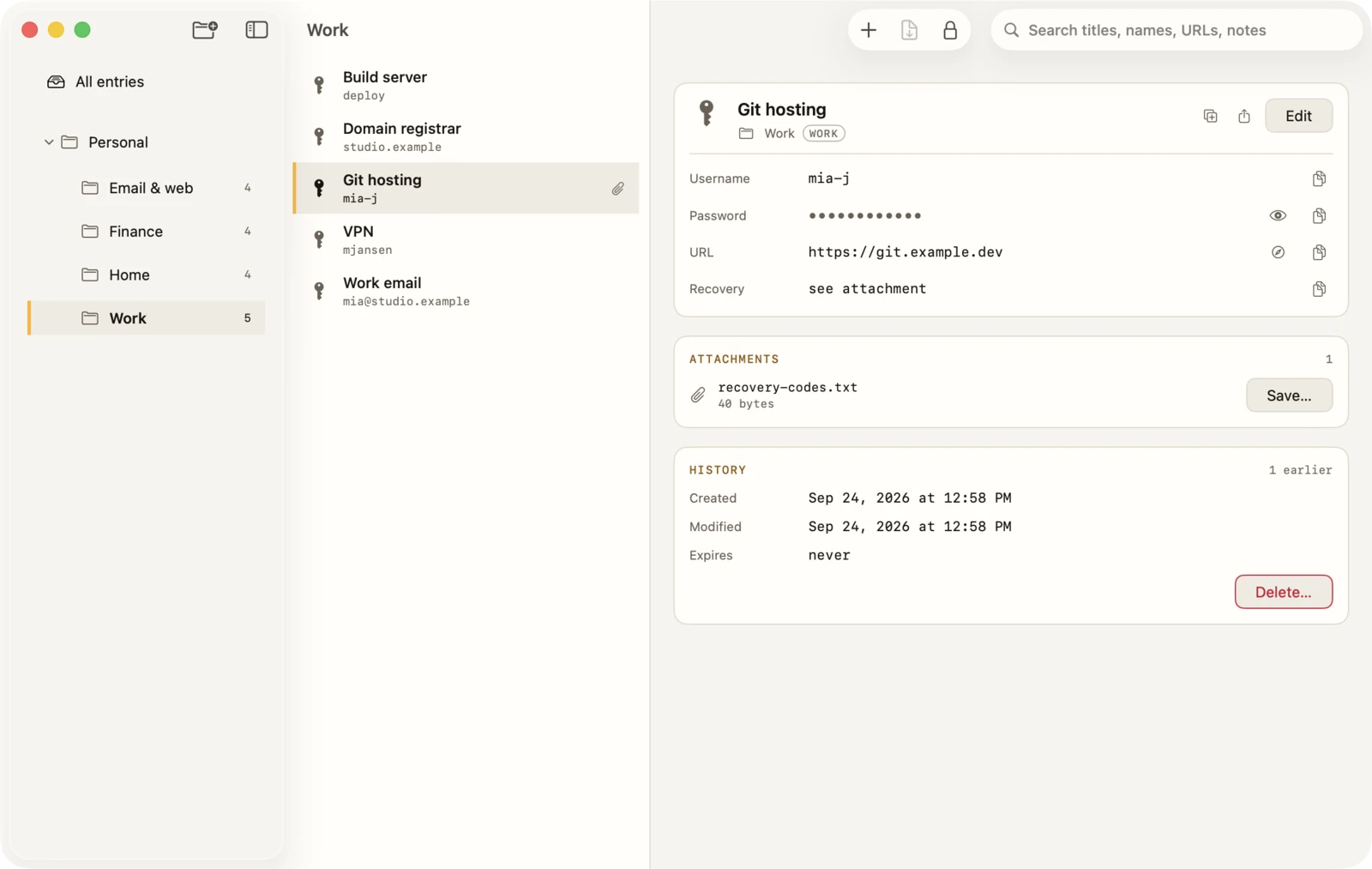
On the Mac
Groups, entries and one entry, side by side.
Search is ⌘F, a word and Return; the password is then ⇧⌘C
away, with nothing pointed at.
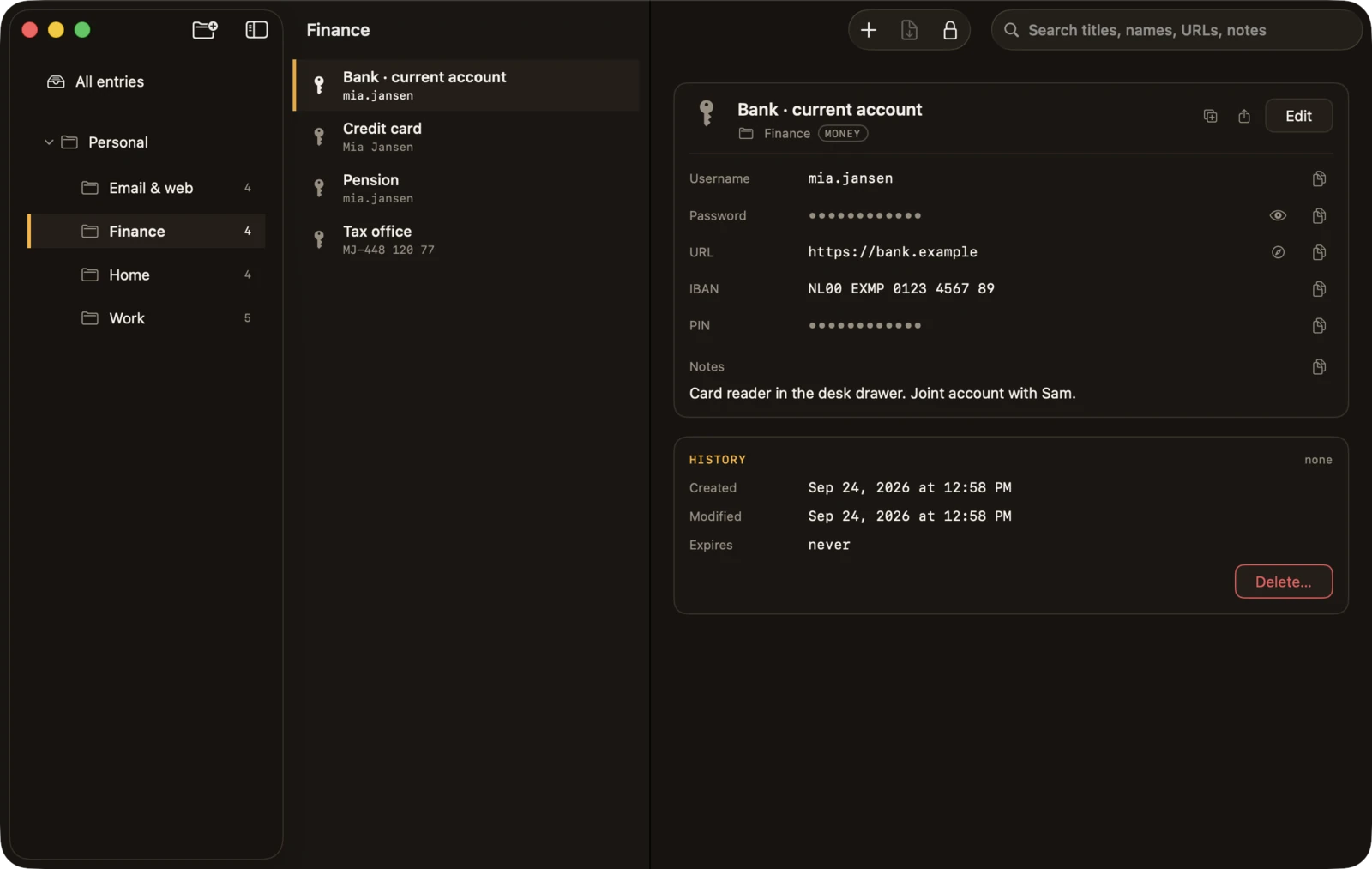
.kdbx opened from the Finder gets a window of its own.iPhone & iPad
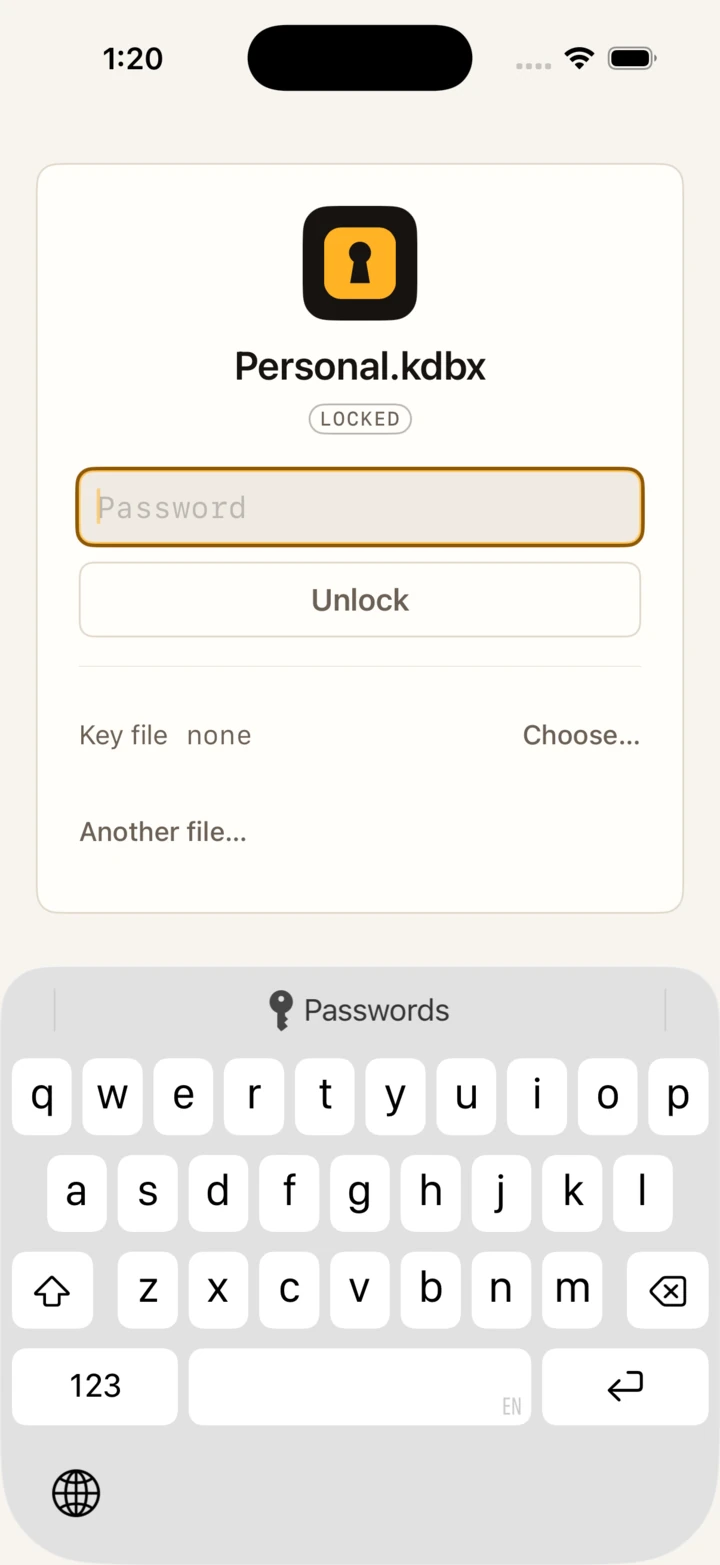
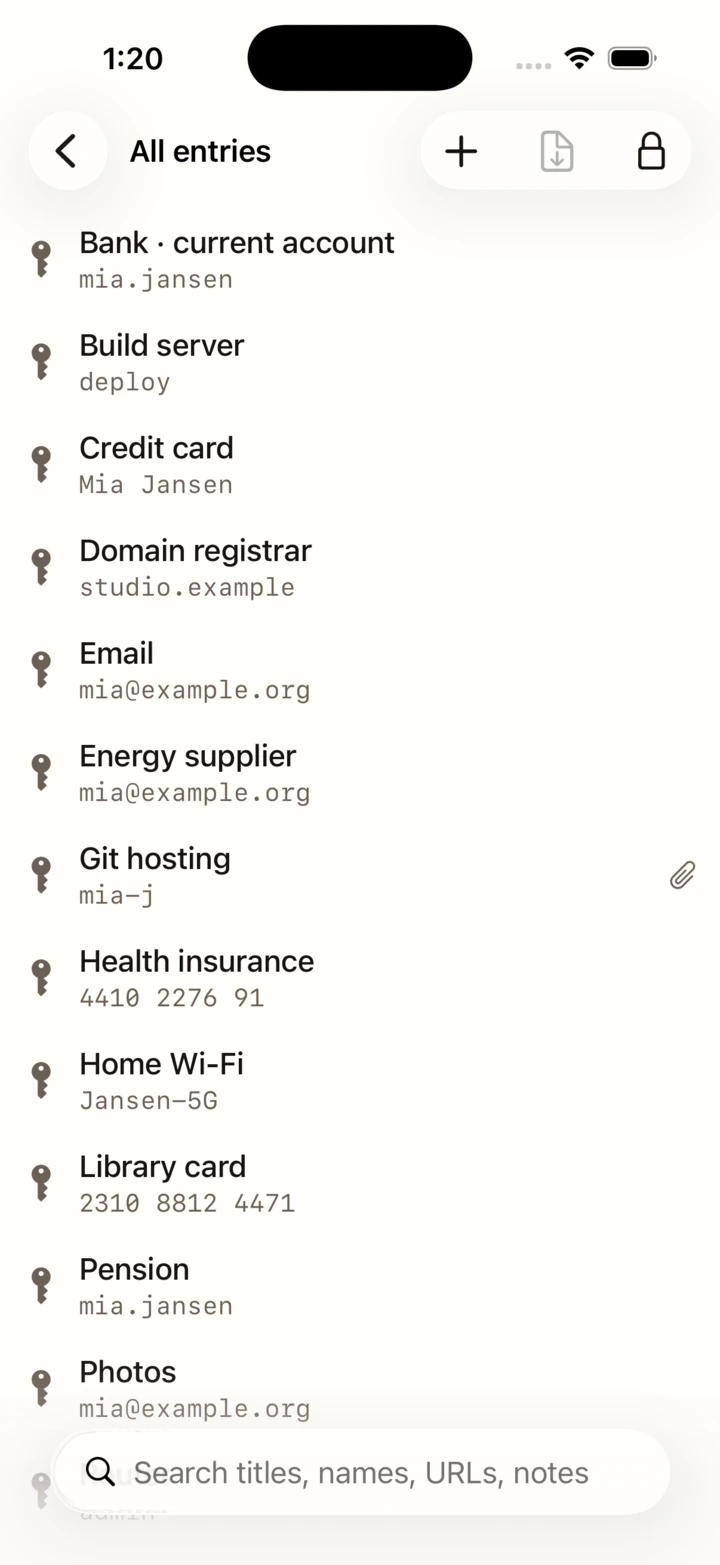
One app across the three: three columns on an iPad in landscape, one screen at a time on a phone, and nothing hidden on the smaller one.
In a terminal
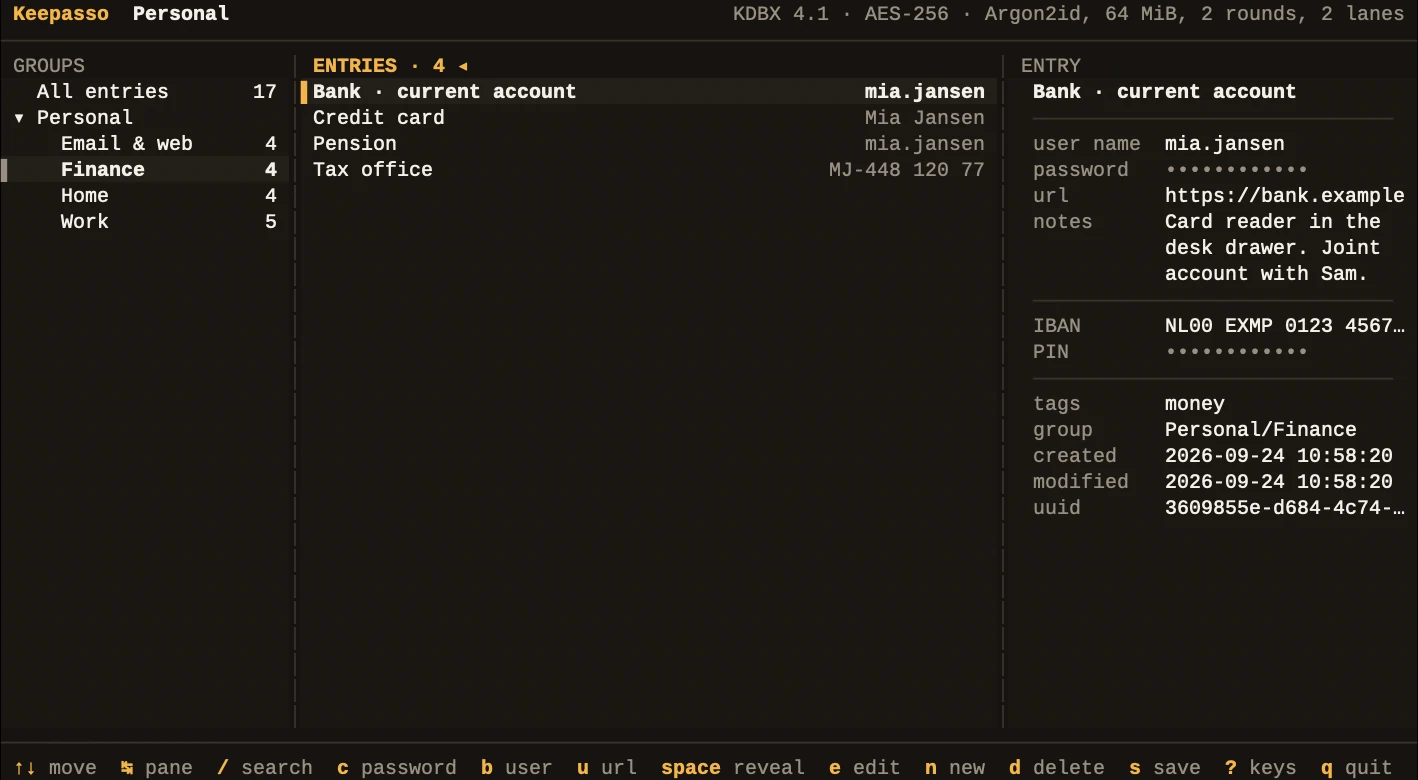
Keepasso's KeePass half is a Rust library, and
kp is a command line in front of it — every verb against a real file, and
kp ui, the three panes in the same colours, the same twelve dots, and a
password on the clipboard with one key.
kp show <file> <entry>One entry; protected fields are dots until --revealkp search <file> <term>Every entry the term is inkp copy <file> <entry>The password to the clipboard, gone again on its ownkp add · edit · mv · rmChange the file where it standskp attach <file> <entry>List, add, save or remove attachmentskp generate [length]A password from the same generator as the appkp is not part of the
App Store app.
Privacy, itemised
The specific version, phrased so that you could go and verify it. The formal version is dopecode's privacy policy.
The honest part
Better read here than found out afterwards.
.kdb) files.AutoFill runs in a process of its own that cannot reach your file, so it answers from the copy the app last left it — refreshed every time you unlock or save. A database changed on another device is answered from that copy until you open Keepasso here, and the AutoFill sheet shows the copy's date whenever it is not today's.
A password you forget cannot be recovered — by us, by Apple, or by any other KeePass client. The file has no back door, which is the point of it.
Help
Press Open… and pick the .kdbx wherever it is — iCloud Drive, a
Files provider such as Dropbox or MEGA, a folder or a drive. It is opened in place and
remembered under Recent, so next time it is one tap.
In iCloud Drive ▸ Keepasso. The unlock screen offers to put an open database there; it is then the same file on every device signed into your Apple Account. Any other shared folder works too — open the same file from each device.
Unlock the database, then in Keepasso's Settings ▸ AutoFill switch on Use this database for AutoFill. Then tick Keepasso in the system's list: on an iPhone or iPad, Settings ▸ General ▸ AutoFill & Passwords; on a Mac, System Settings ▸ Passwords ▸ Password Options. Keepasso's own Settings say whether the system has it switched on.
On the unlock screen, switch on Unlock with Face ID next time (or Touch ID) and unlock with the password once. From then on the screen asks for your face or finger as it appears. If the database's password is changed on another device, the kept key stops working and Keepasso says so; unlock with the new password and switch it on again.
It has moved, been renamed, or the storage it was in is signed out. Press the ✕ beside it — the file itself is not touched — and open it again from where it is now.
Then nobody can open it: not Keepasso, not us, not any other KeePass client. There is no reset and no copy of the password anywhere — that is what makes the file safe to keep in somebody else's cloud. A device where Face ID or Touch ID still opens it can still show you the entries; copy out what matters while it does.
No. Keepasso has no server. The database goes where you keep it — which is iCloud Drive's or Dropbox's business if that is where you put it — and nowhere else.
Still stuck? Write to hello@dopecode.com with your Keepasso version (Settings ▸ About) and what it said. Never send your database or its password — we will never ask for either.
Mac · iPad · iPhone · App Store
Keepasso is one app on the App Store for the Mac, the iPad and the iPhone, over the KeePass file you already have.

· Questions first? Help answers the common ones.